| api-types | ||
| docs | ||
| server | ||
| web | ||
| .containerignore | 127 B | |
| .gitignore | 204 B | |
| .hearthforge-ci.toml | 6.2 KB | |
| Cargo.lock | 96.4 KB | |
| Cargo.toml | 568 B | |
| compose.yml | 796 B | |
| Containerfile | 2.9 KB | |
| justfile | 2.3 KB | |
| LICENSE.md | 33.5 KB | |
| README.md | 12.1 KB |
filebrowser-ng
A self-hosted web file browser. One static binary, one SQLite file, no external services.
Features
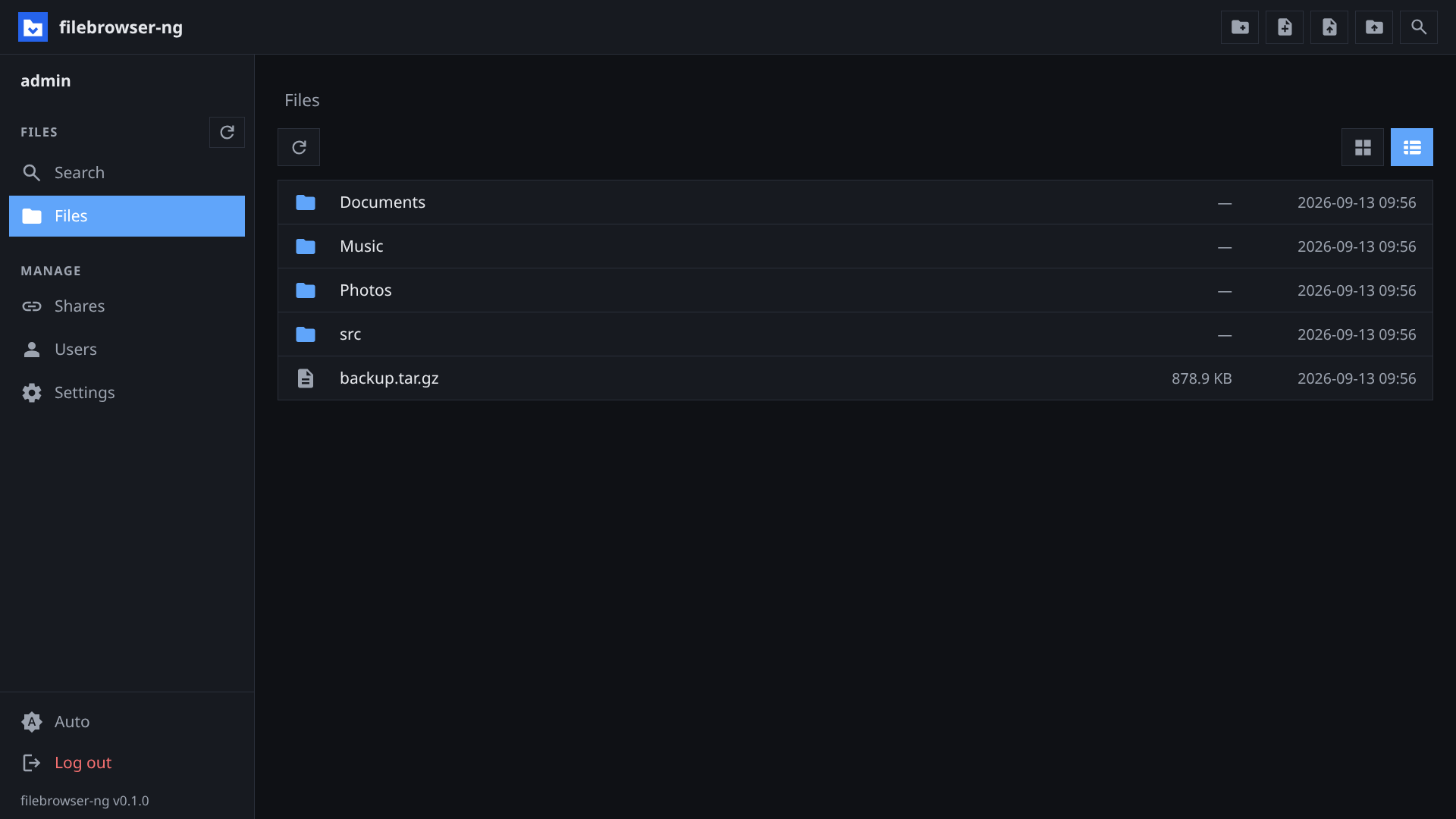
- Browsing: grid and list view, breadcrumbs, sizes and dates, multi-select with shift and ctrl, context menu.
- File operations: upload files and folders, create folders and files,
rename, move, copy, delete. Download a folder as
zip,tar,tar.gz, ortar.zst, streamed without a temporary file. - Preview: images, video, audio, and PDF inline. Video and audio support range requests, so seeking works.
- Thumbnails: images and videos show a small preview in grid view.
- Text editor: CodeMirror 6 with syntax highlighting for common languages. Saves back to disk in writable folders.
- Search: by name, by content, or both. Results stream in as they are found and the search can be stopped at any time. Hidden and gitignored files are included.
- Users and folders: each user gets one or more root folders, each read-write or read-only. Admins manage users, and can deactivate an account without deleting it.
- Shares: public links to a file or folder, with an optional expiry. A writable share gives the link holder the same operations as a read-write folder. An admin setting turns writable shares on or off globally, and a read-only folder cannot be shared writable. Deleting, renaming, or moving an item revokes its shares. See Shares.
- WebDAV: mount your folders, or a share, in a file manager. Per-client app passwords keep the account password out of the mount. See WebDAV.
- UI: light, dark, or system theme. English, German, and French. Optional single-click open.
- Passkeys: sign in with a fingerprint, a face, or a security key. Everyone manages their own under Settings → Security, and can require a password and a passkey, or drop the password entirely. See Sign-in.
- Security: Argon2 password hashes, HttpOnly session cookies with a 30-day lifetime, growing delay on failed logins per user name.
Setup
The first visit shows a setup page that creates the admin account. The
admin's root is the --root folder. Further users and folders are created
under Users.
Container
docker compose up -d # or: podman compose up -d
compose.yml builds the image and mounts two host folders:
| Host path | Container path | Content |
|---|---|---|
./data |
/data |
The browsed files |
./filebrowser-db |
/var/lib/filebrowser |
SQLite database: users, shares, settings |
Both folders are created on first start. The image is Alpine plus the static binary and exposes port 8080.
Binary
filebrowser-ng --root /srv/files --db /var/lib/filebrowser/db.sqlite --bind 0.0.0.0
| Flag | Default | Description |
|---|---|---|
--root |
(required) | Folder the server may access. All user folders are inside it. |
--db |
(required) | SQLite file. Created when missing. |
--port |
8080 |
Listen port |
--bind |
127.0.0.1 |
Listen address. 0.0.0.0 exposes the server beyond localhost. |
--root-name |
folder name | Display name of the root folder. Also FILEBROWSER_ROOT_NAME. |
--public-url |
off | Public base URL, e.g. https://files.example.com. Share and WebDAV links are built from it instead of the browser's address, and an https scheme marks cookies Secure and binds passkeys to that origin. Also FILEBROWSER_PUBLIC_URL. |
--cache |
off | Folder for the thumbnail cache. Turns thumbnails on. Also FILEBROWSER_CACHE. |
Log level comes from RUST_LOG (error, warn, info, debug, trace).
Reverse proxy
The server speaks plain HTTP. Put a TLS-terminating proxy in front of it and
set --public-url to the address the browser uses, e.g.
FILEBROWSER_PUBLIC_URL=https://files.example.com in compose.yml. The
server cannot see the proxy's TLS by itself, so without that URL it assumes
plain HTTP: cookies lose Secure and passkeys are bound to the wrong origin.
Search uses server-sent events, so the proxy must not buffer responses on
/api/search.
Thumbnails
Grid view shows a small preview of an image or video instead of an icon.
Point --cache at a folder to turn them on:
filebrowser-ng --root /srv/files --db /var/lib/filebrowser/db.sqlite \
    --cache /var/cache/filebrowser
Notes:
- Videos need
ffmpegon the server. The container image ships with it. Without it, images still get thumbnails and videos keep their icon. - The cache is disposable. You can delete the folder at any time; the server makes the thumbnails again as they are needed.
Shares
A share is a link to a path, not to the account that made it. Things that end one: deleting, renaming or moving the item through the web UI (this also revokes the shares on anything inside it), setting an expiry, deleting the share under Shares, and deleting the creator's account.
Two admin actions do not end a share, so do them together with a revoke:
- Deactivating an account. Its logins and sessions stop immediately, but a link that user made keeps serving — and a writable link keeps accepting writes from whoever holds it. Delete the account, or the share, to close it.
- Taking a folder away from a user. A share stays open on a folder its creator can no longer open.
Nor does a change the server did not make: a file moved or replaced over SSH, or by any other process, keeps the shares that name its path — the server only sees the operations it performs itself.
Under Shares, a signed-in user sees the links they made. An admin sees every link on the server, in one section per account, and can end any of them — including the links of an account that can no longer sign in, whose section is marked as deactivated. That listing is admin-only because it is a list of working credentials: every row's copy button produces the live link. Holding a share token is access, so treat that view (and the tokens copied from it) accordingly.
Sign-in
Every account starts with a password. Settings → Security adds passkeys and decides how the two combine.
| Requirement | What signs you in |
|---|---|
| Password or passkey | Either one alone. This is the default. |
| Password and passkey | Both, in either order. |
Once a passkey exists the password can go, leaving a passkey-only account. No change here asks for the current password, because a passkey-only account has none; the session is the gate, and every change signs the account out everywhere else.
The login button asks the browser for any passkey it holds for this site, so no user name is needed. Older security keys cannot do that and need the name typed in first; the settings list marks those with "needs your user name".
Passkeys need a domain name. Set --public-url behind a proxy that rewrites
Host, and note that a bare IP address will not work at all. Password sign-in
still works on such a host, but an account requiring both factors does not.
If --public-url names an address other than the one in the browser's URL
bar, every passkey operation fails with "Passkeys are set up for a different
address" and the server log names both addresses side by side.
[!NOTE] The account password is not what a mount should carry. HTTP Basic sends a password and nothing else, so an account that requires both factors cannot use it at all. Create an app password instead, under Settings → Security.
Admins recover a locked-out account by setting a new password for it. That also deletes the account's passkeys and its app passwords, and drops any two-factor requirement, so the new password is the one way back in.
WebDAV
Two mount points. Your permissions are the same as in the web UI.
| URL | Contents | Credentials |
|---|---|---|
https://host/dav |
Every root folder the user has, one collection each | Account name and an app password, or the account password (see below) |
https://host/dav-share/<token> |
One public share | None, or the share password |
Mount it with the file manager you already have:
# Linux (davfs2)
sudo mount -t davfs https://host/dav /mnt/files

# Linux (GNOME/KDE), macOS Finder: Go → Connect to Server
davs://host/dav
App passwords, under Settings → Security, are the credential to mount with. One per client, shown once, good for WebDAV only. Revoke one from that list and its mount stops on the next request. Changing your own password leaves them working, the same way it leaves your passkeys alone; an admin reset deletes them all.
Notes:
- The mount ignores the user name next to an app password: the secret already says which account it belongs to.
- Under
/daveach of your folders is one entry, named as it is in the web UI. Two folders with the same name get a number added. - A share of a single file cannot be mounted. Share a folder or open it in the web UI instead.
- A browser opens the same URLs. A folder shows a plain index, a file downloads. Hidden files are left out of that index but a mount still shows them.
- If another client has a file locked, your write waits or fails. An abandoned lock clears after ten minutes, and a server restart clears all of them.
- If two people save the same file at once, the last save wins.
Development
Requirements: Rust 1.90 or newer with the wasm32-unknown-unknown target,
trunk 0.21, bun,
just, and OpenSSL headers (webauthn-rs
links it; on Alpine that is openssl-dev plus openssl-libs-static).
rustup target add wasm32-unknown-unknown
cargo install trunk
| Command | Effect |
|---|---|
just dev |
Backend on :8081 with a dev root under .dev/ |
just dev-web |
Frontend on :8080 with hot reload, proxying /api to :8081 |
just build |
Release binary with the frontend embedded, target/release/filebrowser-ng |
just run |
Build and run the release binary against the dev folders |
just test |
Server and API type tests |
just e2e |
Build the real frontend and run the server suite against the embedded build |
just lint |
cargo fmt --check and clippy with warnings denied |
just reset-db |
Delete the dev database |
Layout
| Crate | Content |
|---|---|
server |
axum HTTP server, SQLite via rusqlite, file and archive handling, embedded frontend |
web |
Leptos client-side app compiled to WebAssembly |
api-types |
Request and response types plus route constants shared by both |
The frontend build lands in web/dist, is copied to server/dist, and is
compiled into the binary with the embedded feature. web/cm6.js is the
vendored CodeMirror bundle, built by bun from web/cm/wrapper.js. Both are
build artifacts and not committed.
Tests live in server/tests and run against an in-process server with a
temporary root. CI runs on Hearthforge, see .hearthforge-ci.toml.
No test drives a real authenticator, so nothing here verifies a WebAuthn
signature — that is webauthn-rs' own job. server/tests/api_passkeys.rs
covers everything around it: which credential combinations the server
accepts, which it refuses, and that a half-finished sign-in never becomes a
session.