| api-types | ||
| docs | ||
| server | ||
| web | ||
| .containerignore | 127 B | |
| .gitignore | 155 B | |
| .hearthforge-ci.toml | 4.2 KB | |
| Cargo.lock | 82.0 KB | |
| Cargo.toml | 526 B | |
| compose.yml | 543 B | |
| Containerfile | 2.0 KB | |
| justfile | 2.3 KB | |
| LICENSE.md | 33.5 KB | |
| README.md | 6.9 KB |
filebrowser-ng
A self-hosted web file browser. One static binary, one SQLite file, no external services.
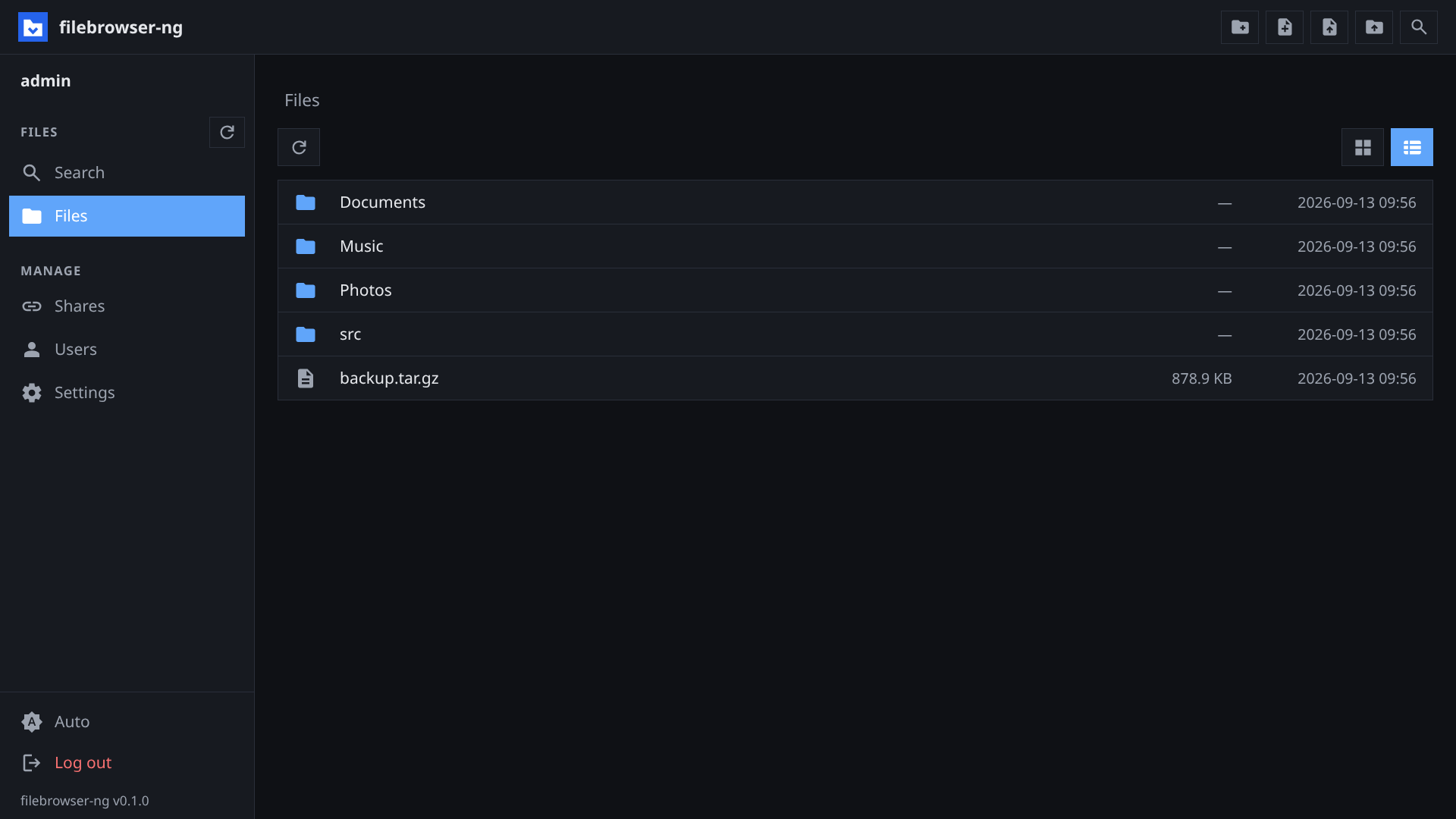
Features
- Browsing: grid and list view, breadcrumbs, sizes and dates, multi-select with shift and ctrl, context menu.
- File operations: upload files and folders, create folders and files,
rename, move, copy, delete. Download a folder as
zip,tar,tar.gz, ortar.zst, streamed without a temporary file. - Preview: images, video, audio, and PDF inline. Video and audio support range requests, so seeking works.
- Text editor: CodeMirror 6 with syntax highlighting for common languages. Saves back to disk in writable folders.
- Search: by name, by content, or both. Results stream in as they are found and the search can be stopped at any time. Hidden and gitignored files are included.
- Users and folders: each user gets one or more root folders, each read-write or read-only. Admins manage users, and can deactivate an account without deleting it.
- Shares: public links to a file or folder, with an optional expiry. A writable share gives the link holder the same operations as a read-write folder. An admin setting turns writable shares on or off globally, and a read-only folder cannot be shared writable. Deleting, renaming, or moving an item revokes its shares.
- WebDAV: mount your folders, or a share, in a file manager. See WebDAV.
- UI: light, dark, or system theme. English, German, and French. Optional single-click open.
- Security: Argon2 password hashes, HttpOnly session cookies with a 30-day lifetime, growing delay on failed logins per user name.
Setup
The first visit shows a setup page that creates the admin account. The
admin's root is the --root folder. Further users and folders are created
under Users.
Container
docker compose up -d # or: podman compose up -d
compose.yml builds the image and mounts two host folders:
| Host path | Container path | Content |
|---|---|---|
./data |
/data |
The browsed files |
./filebrowser-db |
/var/lib/filebrowser |
SQLite database: users, shares, settings |
Both folders are created on first start. The image is Alpine plus the static binary and exposes port 8080.
Binary
filebrowser-ng --root /srv/files --db /var/lib/filebrowser/db.sqlite --bind 0.0.0.0
| Flag | Default | Description |
|---|---|---|
--root |
(required) | Folder the server may access. All user folders are inside it. |
--db |
(required) | SQLite file. Created when missing. |
--port |
8080 |
Listen port |
--bind |
127.0.0.1 |
Listen address. 0.0.0.0 exposes the server beyond localhost. |
--https |
off | Set when behind a TLS-terminating proxy. Marks the cookie Secure. Also FILEBROWSER_HTTPS=true. |
--root-name |
folder name | Display name of the root folder. Also FILEBROWSER_ROOT_NAME. |
Log level comes from RUST_LOG (error, warn, info, debug, trace).
Reverse proxy
The server speaks plain HTTP. Put a TLS-terminating proxy in front of it and
pass --https, or set FILEBROWSER_HTTPS=true in compose.yml. Without the flag the session cookie is sent over plain HTTP
as well. Search uses server-sent events, so the proxy must not buffer
responses on /api/search.
WebDAV
Two mount points. Your permissions are the same as in the web UI.
| URL | Contents | Credentials |
|---|---|---|
https://host/dav |
Every root folder the user has, one collection each | Account name and password |
https://host/dav-share/<token> |
One public share | None, or the share password |
Mount it with the file manager you already have:
# Linux (davfs2)
sudo mount -t davfs https://host/dav /mnt/files

# Linux (GNOME/KDE), macOS Finder: Go → Connect to Server
davs://host/dav
Notes:
- Under
/daveach of your folders is one entry, named as it is in the web UI. Two folders with the same name get a number added. - A share of a single file cannot be mounted. Share a folder or open it in the web UI instead.
- A browser opens the same URLs. A folder shows a plain index, a file downloads. Hidden files are left out of that index but a mount still shows them.
- If another client has a file locked, your write waits or fails. An abandoned lock clears after ten minutes, and a server restart clears all of them.
- If two people save the same file at once, the last save wins.
Development
Requirements: Rust 1.90 or newer with the wasm32-unknown-unknown target,
trunk 0.21, bun, and
just.
rustup target add wasm32-unknown-unknown
cargo install trunk
| Command | Effect |
|---|---|
just dev |
Backend on :8081 with a dev root under .dev/ |
just dev-web |
Frontend on :8080 with hot reload, proxying /api to :8081 |
just build |
Release binary with the frontend embedded, target/release/filebrowser-ng |
just run |
Build and run the release binary against the dev folders |
just test |
Server and API type tests |
just e2e |
Build the real frontend and run the server suite against the embedded build |
just lint |
cargo fmt --check and clippy with warnings denied |
just reset-db |
Delete the dev database |
Layout
| Crate | Content |
|---|---|
server |
axum HTTP server, SQLite via rusqlite, file and archive handling, embedded frontend |
web |
Leptos client-side app compiled to WebAssembly |
api-types |
Request and response types plus route constants shared by both |
The frontend build lands in web/dist, is copied to server/dist, and is
compiled into the binary with the embedded feature. web/cm6.js is the
vendored CodeMirror bundle, built by bun from web/cm/wrapper.js. Both are
build artifacts and not committed.
Tests live in server/tests and run against an in-process server with a
temporary root. CI runs on Hearthforge, see .hearthforge-ci.toml.