Hearthforge 
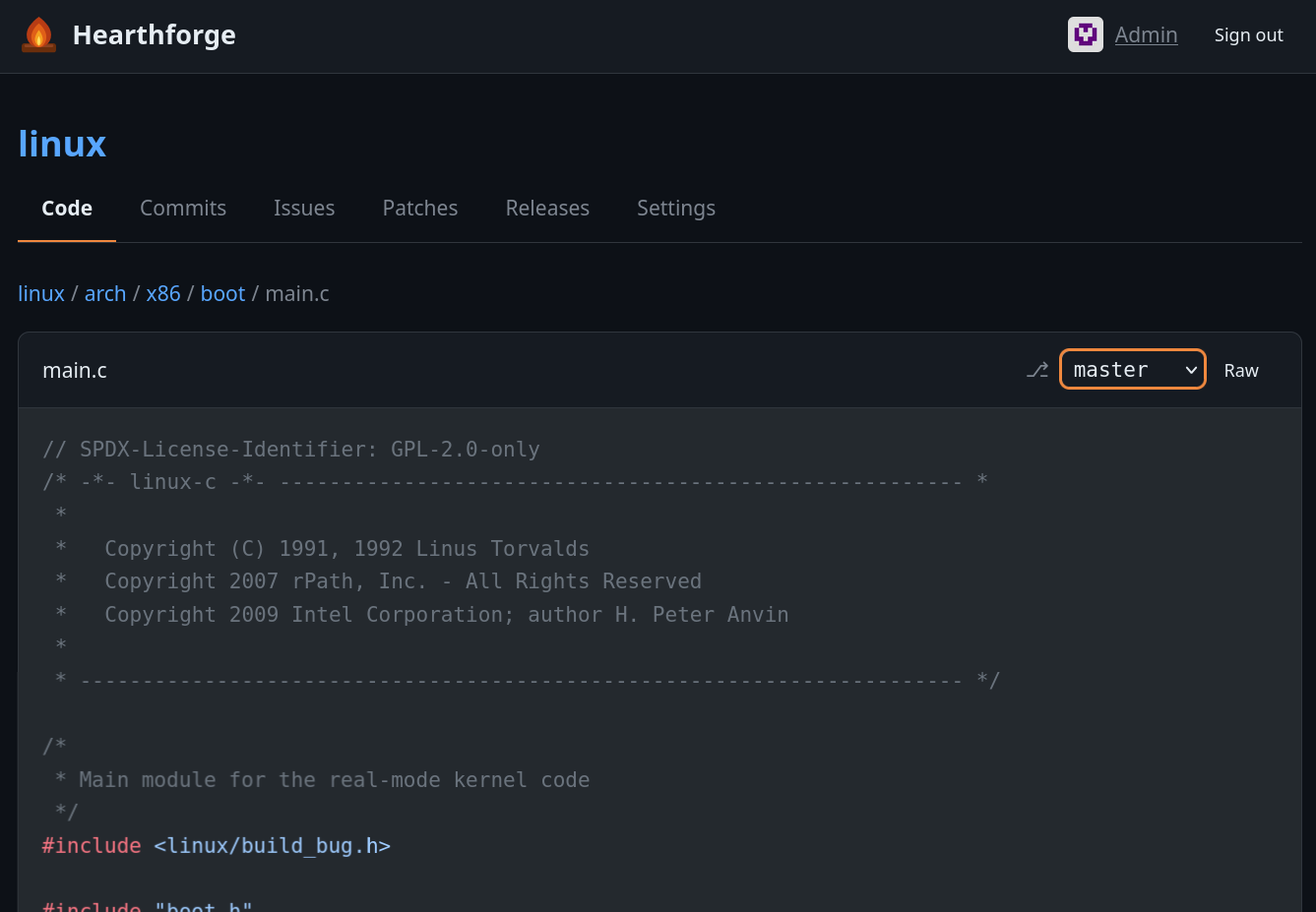
A self-hosted git forge designed to host your own repositories while allowing others to interact with them via issues and patch proposals. The frontend works without JavaScript — JS is only required for WebAuthn, with a graceful fallback to password-only auth.
Features
- Repository browser — integrated file tree, single-file editing, blob view, commit log, markdown rendering, media previews
- Issues & patches — create, comment, react with emoji; submit git
.patchfiles for review and merge them directly from the UI - Labels — per-repo labels with custom colors; optionally allow users to label their own issues and patches
- Templates — issue and patch templates per repository
- Releases — create releases with source archives (zip/tar.gz), uploaded assets, and optional tag creation
- SSH push/pull — built-in SSH server, no external git daemon needed
- Auth — password login or passkeys (WebAuthn/FIDO2)
- Commit signing — patches merged and files edited through the UI are automatically signed; verification badges shown in the commit log
- Registration control — open registration, disabled, or queue mode where the admin manually approves new accounts
Stack
- Go — single static binary, no runtime dependencies besides
gitandssh-keygen - chi — HTTP router
- SQLite — single-file database via modernc.org/sqlite (pure Go, no cgo)
- gomponents — server-side HTML in Go (no client-side framework)
- chroma — syntax highlighting, in-process
- goldmark + bluemonday — Markdown rendering and sanitizing
- gliderlabs/ssh — embedded SSH server
- go-webauthn — passkeys
Running
go build -o hearthforge ./cmd/hearthforge
./hearthforge init   # creates database and admin account
./hearthforge        # http://localhost:3000, SSH on port 2222
init creates the user admin. Set the ADMIN_PASSWORD environment variable before running init to choose its password.
Without it, init generates a random password and prints it once. In the container it appears in the log of the first start.
Docker / Podman
A Containerfile and compose.yml are provided:
docker compose up # or podman compose up
The container stores all persistent data (repos, database, avatars, releases, SSH host key) under /data — mount a volume there to keep it across restarts.
Manual repository import
Existing repositories can be copied into the data/repos directory.
Non-bare repos are automatically converted to bare repos on startup (uncommitted changes and worktrees are discarded). A repo whose .git is a symlink is skipped.
Pushing directly to the on-disk repositories (bypassing the bundled HTTP/SSH endpoints) generally works as well.
SSH access
Add your public key under Settings → SSH keys, then:
git clone ssh://git@localhost:2222/REPO_NAME
Pushing is supported for the admin.
Configuration
All settings are environment variables:
| Variable | Default | Description |
|---|---|---|
PORT |
3000 |
HTTP port |
SSH_PORT |
2222 |
SSH port |
DATA_DIR |
./data |
Repos, database, uploads |
ADMIN_PASSWORD |
(random, printed once) | Initial admin password (only used by init) |
OWNER_DISPLAY_NAME |
Admin |
Display name for the owner |
BASE_URL |
http://localhost:$PORT |
Used in clone URLs and links |
REGISTRATION_TYPE |
enabled |
enabled, disabled, or queue (admin approval) |
REGISTER_QUESTION |
(empty) | Question shown on the registration form in queue mode |
MAX_UPLOAD_BYTES |
10485760 |
Max request body size (10 MB), not applied to git push |
MAX_USER_UPLOAD_BYTES |
2097152 |
Max upload size for non-admin users (2 MB) |
INLINE_MAX_BYTES |
524288 |
Max file size rendered inline in the code view (512 KB) |
SSH_DISABLED |
0 |
Set to 1 to disable the embedded SSH server |
SCANNED_REPO_PRIVATE |
1 |
Set to 0 to make auto-scanned repos public by default |
TRUSTED_PROXY |
0 |
Trust X-Forwarded-For headers * |
RATE_LIMIT_DISABLED |
0 |
Set to 1 to disable rate limiting |
COMMITTER_NAME |
$OWNER_DISPLAY_NAME |
Git committer name for merges and UI edits |
COMMITTER_EMAIL |
$OWNER_DISPLAY_NAME@<hostname> |
Git committer email for merges and UI edits |
SSH_HOST_KEY_PATH |
$DATA_DIR/ssh_host_key |
Path to the SSH host key (auto-generated if missing) |
EXTRA_ALLOWED_SIGNERS_PATH |
(empty) | Additional git allowed-signers file for commit verification |
MAX_TITLE_BYTES |
500 |
Max length for titles (issues, patches, releases) |
MAX_TEXT_BODY_BYTES |
100000 |
Max length for text bodies (descriptions, comments, notes) |
MAX_USERNAME_BYTES |
64 |
Max username length at registration |
MAX_PASSWORD_BYTES |
1024 |
Max password length |
MAX_RENDER_BYTES |
10485760 |
Max size for any inline render (blob, diff, markdown) |
MAX_RAW_DOWNLOAD_BYTES |
0 |
Max streamed /raw size, 0 = unlimited |
MAX_CONCURRENT_ARCHIVE_JOBS |
2 |
Parallel source-archive jobs |
CI_DOCKER_SOCKET |
(auto-detected) | Path to Docker/Podman socket |
CI_MAX_HISTORY |
50 |
Max pipeline runs to keep per repo |
CI_MAX_ARTIFACT_BYTES |
536870912 |
Max size of one published CI artifact (512 MiB) |
CI_DEFAULT_TIMEOUT |
3600 |
Default step timeout in seconds |
CI_MAX_CONCURRENT |
2 |
Advisory max concurrent runs |
CI_ENGINE_SOCKET |
0 |
Allow CI steps with engine_socket = true to use the engine socket |
CI_NETWORK |
(engine default) | Engine network for CI containers, e.g. one created with IPv6 |
REGISTRY_PULL |
admin |
Who may pull container images: admin, users, or public |
* Set TRUSTED_PROXY=1 only when Hearthforge is behind a reverse proxy that overwrites any incoming X-Forwarded-For from clients with the real client address. Without the header, the socket address is used. Caddy and Traefik do this by default; nginx requires proxy_set_header X-Forwarded-For $remote_addr; (rather than the common $proxy_add_x_forwarded_for, which appends to a client-supplied value). Setting TRUSTED_PROXY=1 in front of a proxy that does not strip means rate limits and any audit logging are spoofable per request. Rate limits key IPv6 clients by their /64 prefix.
Reverse proxy deployment
Hearthforge does not terminate TLS itself. For any production deployment, run it behind an HTTPS-terminating reverse proxy (Caddy, nginx, Traefik, …) and set:
BASE_URL=https://your-forge.example.com
A BASE_URL with the https:// scheme is what activates HTTPS hardening:
- Session and preference cookies are emitted with
Secure, so the browser will only send them over HTTPS. - Every response includes
Strict-Transport-Security: max-age=31536000; includeSubDomains. - The CSRF middleware compares the request
OriginagainstBASE_URL(full origin, scheme + host + port), not theHostheader.
CI/CD Pipelines
Hearthforge includes a built-in CI/CD system that runs pipelines in Docker or Podman containers,
configured via a .hearthforge-ci.toml file at the root of your repository. The Pipelines tab contains a small tutorial and
an example file. Setup, the run model, caches, and known pitfalls are documented in CI.md.
Container registry
Hearthforge serves an OCI container registry under /v2/. Image names map to
repositories: your-forge.example.com/REPO_NAME:tag or
your-forge.example.com/REPO_NAME/sub-image:tag. The first segment must be an
existing repository.
- Only the admin may push, with the admin password as HTTP Basic auth.
docker login your-forge.example.comorpodman loginstores it. REGISTRY_PULLdecides who may pull from public repositories:admin, any signed-in user (users), or anyone (public). Images of private repositories are always admin-only.- Blobs are stored once by digest under
DATA_DIR/registry/. Deleting a repository removes its image index. Blob files shared with other images stay. BASE_URLmust be HTTPS for Docker and Podman to talk to the registry without an insecure-registry exception.
CI steps can build and push images through the engine socket, see CI.md.
Development
go build -o hearthforge ./cmd/hearthforge
go test ./...                       # unit and end-to-end tests
The end-to-end suite lives in internal/web/e2e/. It starts the real server in-process on a throwaway data directory and drives it over HTTP. It needs git and ssh-keygen. The browser tests in that package (TestBrowser*) need a Chromium binary. They look at HEARTHFORGE_BROWSER, then PATH, then a Playwright download, and skip when none is found.
Formatting and linting:
go install mvdan.cc/gofumpt@latest
go install github.com/golangci/golangci-lint/v2/cmd/golangci-lint@latest
go install golang.org/x/vuln/cmd/govulncheck@latest

gofumpt -l -extra .       # formatter, stricter than gofmt
golangci-lint run ./...   # errcheck, staticcheck, gosec, bodyclose, noctx; config in .golangci.yml
govulncheck ./...         # known vulnerabilities in the toolchain and dependencies
go test -race ./...
.hearthforge-ci.toml runs the same checks plus the E2E suite when the repository is hosted on a Hearthforge instance.
Roadmap
- Use git-bug for issue tracking instead of custom implementation