| .claude | ||
| .idea | ||
| cmd | ||
| internal | ||
| tests | ||
| web | ||
| .dockerignore | 64 B | |
| .gitignore | 50 B | |
| .golangci.yml | 2.2 KB | |
| .hearthforge-ci.toml | 1.9 KB | |
| assets.go | 211 B | |
| CI.md | 9.2 KB | |
| compose.yml | 853 B | |
| Containerfile | 562 B | |
| go.mod | 1.6 KB | |
| go.sum | 9.6 KB | |
| LICENSE.md | 33.5 KB | |
| preview.png | 97.3 KB | |
| README.md | 9.9 KB |

Hearthforge 
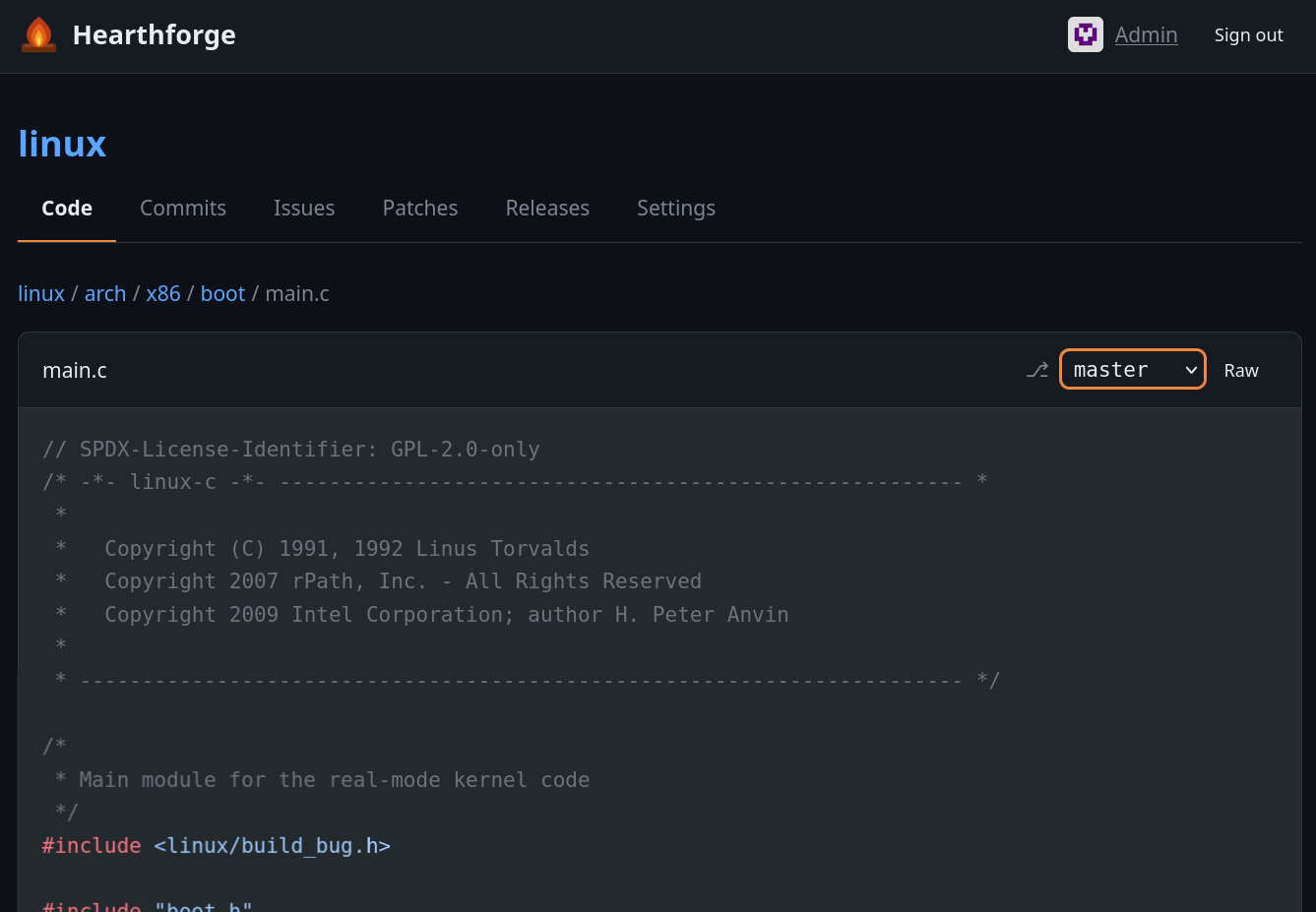
A self-hosted git forge designed to host your own repositories while allowing others to interact with them via issues and patch proposals. The frontend works without JavaScript — JS is only required for WebAuthn, with a graceful fallback to password-only auth.
Features
- Repository browser — integrated file tree, single-file editing, blob view, commit log, markdown rendering, media previews
- Issues & patches — create, comment, react with emoji; submit git
.patchfiles for review and merge them directly from the UI - Labels — per-repo labels with custom colors; optionally allow users to label their own issues and patches
- Templates — issue and patch templates per repository
- Releases — create releases with source archives (zip/tar.gz), uploaded assets, and optional tag creation
- SSH push/pull — built-in SSH server, no external git daemon needed
- Auth — password login or passkeys (WebAuthn/FIDO2)
- Commit signing — patches merged and files edited through the UI are automatically signed; verification badges shown in the commit log
- Registration control — open registration, disabled, or queue mode where the admin manually approves new accounts
Stack
- Go — single static binary, no runtime dependencies besides
gitandssh-keygen - chi — HTTP router
- SQLite — single-file database via modernc.org/sqlite (pure Go, no cgo)
- gomponents — server-side HTML in Go (no client-side framework)
- chroma — syntax highlighting, in-process
- goldmark + bluemonday — Markdown rendering and sanitizing
- gliderlabs/ssh — embedded SSH server
- go-webauthn — passkeys
Running
go build -o hearthforge ./cmd/hearthforge
./hearthforge init   # creates database and admin account
./hearthforge        # http://localhost:3000, SSH on port 2222
Default admin credentials: admin / changeme
Set the ADMIN_PASSWORD environment variable before running db:init to choose your own.
Docker / Podman
A Containerfile and compose.yml are provided:
docker compose up # or podman compose up
The container stores all persistent data (repos, database, avatars, releases, SSH host key) under /data — mount a volume there to keep it across restarts.
Manual repository import
Existing repositories can be copied into the data/repos directory.
Non-bare repos are automatically converted to bare repos on startup (uncommitted changes and worktrees are discarded).
Pushing directly to the on-disk repositories (bypassing the bundled HTTP/SSH endpoints) generally works as well.
SSH access
Add your public key under Settings → SSH keys, then:
git clone ssh://git@localhost:2222/REPO_NAME
Pushing is supported for the admin.
Configuration
All settings are environment variables:
| Variable | Default | Description |
|---|---|---|
PORT |
3000 |
HTTP port |
SSH_PORT |
2222 |
SSH port |
DATA_DIR |
./data |
Repos, database, uploads |
ADMIN_PASSWORD |
changeme |
Initial admin password (only used by init) |
OWNER_DISPLAY_NAME |
Admin |
Display name for the owner |
BASE_URL |
http://localhost:$PORT |
Used in clone URLs and links |
REGISTRATION_TYPE |
enabled |
enabled, disabled, or queue (admin approval) |
REGISTER_QUESTION |
(empty) | Question shown on the registration form in queue mode |
MAX_UPLOAD_BYTES |
10485760 |
Max request body size (10 MB), not applied to git push |
MAX_USER_UPLOAD_BYTES |
2097152 |
Max upload size for non-admin users (2 MB) |
INLINE_MAX_BYTES |
524288 |
Max file size rendered inline in the code view (512 KB) |
SSH_DISABLED |
0 |
Set to 1 to disable the embedded SSH server |
SCANNED_REPO_PRIVATE |
1 |
Set to 0 to make auto-scanned repos public by default |
TRUSTED_PROXY |
0 |
Trust X-Forwarded-For headers * |
RATE_LIMIT_DISABLED |
0 |
Set to 1 to disable rate limiting |
COMMITTER_NAME |
$OWNER_DISPLAY_NAME |
Git committer name for merges and UI edits |
COMMITTER_EMAIL |
$OWNER_DISPLAY_NAME@<hostname> |
Git committer email for merges and UI edits |
SSH_HOST_KEY_PATH |
$DATA_DIR/ssh_host_key |
Path to the SSH host key (auto-generated if missing) |
EXTRA_ALLOWED_SIGNERS_PATH |
(empty) | Additional git allowed-signers file for commit verification |
MAX_TITLE_BYTES |
500 |
Max length for titles (issues, patches, releases) |
MAX_TEXT_BODY_BYTES |
100000 |
Max length for text bodies (descriptions, comments, notes) |
MAX_USERNAME_BYTES |
64 |
Max username length at registration |
MAX_PASSWORD_BYTES |
1024 |
Max password length |
MAX_RENDER_BYTES |
10485760 |
Max size for any inline render (blob, diff, markdown) |
MAX_RAW_DOWNLOAD_BYTES |
0 |
Max streamed /raw size, 0 = unlimited |
MAX_CONCURRENT_ARCHIVE_JOBS |
2 |
Parallel source-archive jobs |
CI_DOCKER_SOCKET |
(auto-detected) | Path to Docker/Podman socket |
CI_MAX_HISTORY |
50 |
Max pipeline runs to keep per repo |
CI_MAX_ARTIFACT_BYTES |
536870912 |
Max size of one published CI artifact (512 MiB) |
CI_DEFAULT_TIMEOUT |
3600 |
Default step timeout in seconds |
CI_MAX_CONCURRENT |
2 |
Advisory max concurrent runs |
* Set TRUSTED_PROXY=1 only when Hearthforge is behind a reverse proxy that strips any incoming X-Forwarded-For from clients. Caddy and Traefik do this by default; nginx requires proxy_set_header X-Forwarded-For $remote_addr; (rather than the common $proxy_add_x_forwarded_for, which appends to a client-supplied value). Setting TRUSTED_PROXY=1 in front of a proxy that does not strip means rate limits and any audit logging are spoofable per request.
Reverse proxy deployment
Hearthforge does not terminate TLS itself. For any production deployment, run it behind an HTTPS-terminating reverse proxy (Caddy, nginx, Traefik, …) and set:
BASE_URL=https://your-forge.example.com
A BASE_URL with the https:// scheme is what activates HTTPS hardening:
- Session and preference cookies are emitted with
Secure, so the browser will only send them over HTTPS. - Every response includes
Strict-Transport-Security: max-age=31536000; includeSubDomains. - The CSRF middleware compares the request
OriginagainstBASE_URL(full origin, scheme + host + port), not theHostheader.
CI/CD Pipelines
Hearthforge includes a built-in CI/CD system that runs pipelines in Docker or Podman containers,
configured via a .hearthforge-ci.toml file at the root of your repository. The Pipelines tab contains a small tutorial and
an example file. Setup, the run model, caches, and known pitfalls are documented in CI.md.
Development
go build -o hearthforge ./cmd/hearthforge
go test ./...                       # unit tests
cd tests && bun install && bun run test   # Playwright E2E suite against the built binary
The E2E suite lives in tests/ and needs Bun and a Chromium install for Playwright (bunx playwright install chromium). It spawns the compiled binary with a throwaway DATA_DIR.
Formatting and linting:
go install mvdan.cc/gofumpt@latest
go install github.com/golangci/golangci-lint/v2/cmd/golangci-lint@latest
go install golang.org/x/vuln/cmd/govulncheck@latest

gofumpt -l -extra .       # formatter, stricter than gofmt
golangci-lint run ./...   # errcheck, staticcheck, gosec, bodyclose, noctx; config in .golangci.yml
govulncheck ./...         # known vulnerabilities in the toolchain and dependencies
go test -race ./...
.hearthforge-ci.toml runs the same checks plus the E2E suite when the repository is hosted on a Hearthforge instance.
Roadmap
- Use git-bug for issue tracking instead of custom implementation