| server | ||
| shared | ||
| webclient | ||
| .dockerignore | 55 B | |
| .gitignore | 52 B | |
| biome.json | 408 B | |
| compose.yaml | 181 B | |
| Containerfile | 341 B | |
| LICENSE | 33.7 KB | |
| README.md | 5.9 KB |
READMERaw
Pico Pixel Player 
Pico Pixel Player is a lightweight, self-hostable audio player with an ElysiaJS backend and SolidJS frontend. It lets you play audio files directly from your server with a clean, responsive UI.
Features
- Lightweight: Minimal dependencies, fast performance
- Easy Setup: Configure with just a
.envfile - Responsive UI: Works seamlessly on desktop and mobile
- Offline Capable: Progressive Web App (PWA) support and local caching of files
- Transcoding: Optionally transcode files at a selected bitrate and format to your client
- Directory Listing: Browse files in their original directory structure
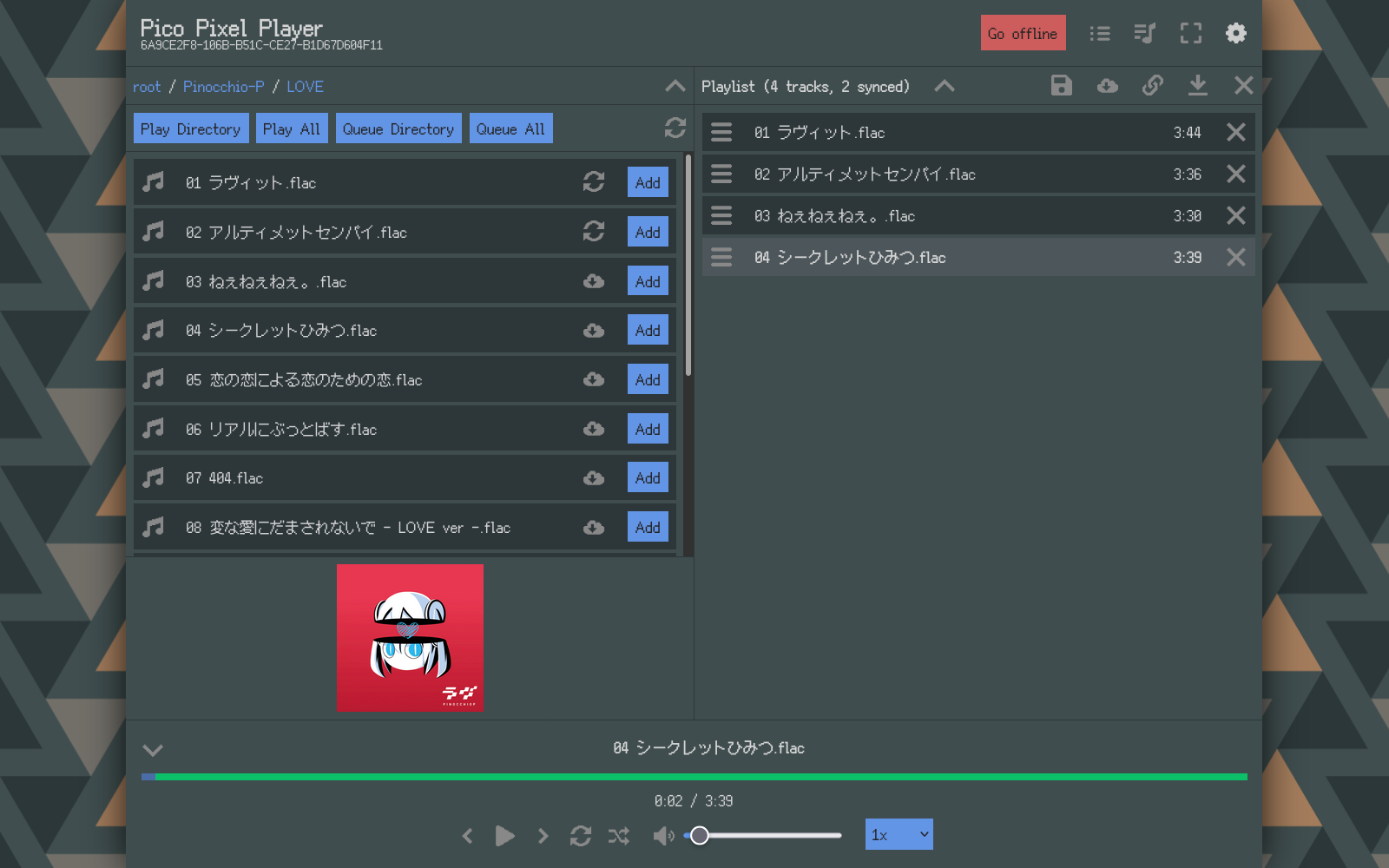
Screenshot
Setup
- Clone the repository:
git clone <repository-url>
cd pico-pixel-player
- Write/adjust these settings in a file called
.env:
HOST_PORT=1234
MUSIC_ROOT=/path/to/your/music
- Start the service:
docker-compose up # or podman-compose up
Runtime Dependencies
If you choose to not run this via the include Containerfile, you need to ensure these dependencies are installed:
bun: Used for building, also the backend is using some bun-specific APIstar: To bundle playlists to a single file when downloading themffmpeg: For transcoding audioavifenc: For transcoding cover artmediainfo: For probing media file metadata
Configuration
You can configure the backend with the following environment variables:
COVER_REGEX: JS-compatible regex to match filenames in a directory to find a matching cover art. Searches the directory structure upwards. Set to an empty string to disable cover detection.EXCLUDE_EXTENSION: comma-separated list of of file extensions to ignore completely, e.g.txt,log,nfo. If unset, uses a safe set of text files common in downloaded music archives. Useful because some files can get mis-scanned, e.g. some CD-scan .log files get scanned as mp1SCAN_CONCURRENCY: maximum number of parallelmediainfoprocesses while scanning uncached folders. Defaults to8; invalid or non-positive values fall back to the default.AUTH: Same format as the string used for basic auth (username and password joined by a colon:and encoded to base64). If set, the server APIs return 401 unless the users is signed in with the given login details. Basic assets are not protected, so the UI itself will load fine even when not logged in, so when you get signed out for whatever reason (e.g. by the server restarting), you can still access the UI and play already synced files without problems.
Non-Goals
- Metadata-Based Views: No support for filtering by genre, artist, etc. Use other projects for this
- Multiple users: Right now everything besides the actual file hosting is stored on the server. When syncing is implemented, it will only be single storage. Permissison systems are also not planned. If distinct permissions/syncs are absouletely required, hosting multiple instances is an option
FAQ
- What is the "Disable chunked transcoding" option for?
- By default the backend sends the transcoded media as it progresses, which uses "chunked transfer", i.e. without the usual content-length of normal HTTP requests. Some browser (safari cough cough) seem to be very selective about the sources of <audio> elements, and choke on sources that are transferred via this method. This option forces the server to transcode the whole file before sending it, improving compatibility with these browser, at the cost of increased latency.
- The playback stops automatically at some point on my mobile device when I put the browser in the background or turning my screen off
- In my testing at least mobile firefox behaves this way, with no apparent solution. It seems to stop after changing the sources of the audio element at some point. Either use a browser that doesn't behave like this (Chrome on Android seems to work), or wrap the PWA in a native app (e.g. https://www.pwabuilder.com/)
- I'm getting "Quota exceeded" errors when trying to sync files or
- My synced files randomly don't work, are missing
- By default websites aren't granted infinite storage or have persisten data. The frontend requests these permissions by calling
navigator.storage.persist()on startup, which causes some browsers to show a permissions popup (e.g. firefox), while others just seem to ignore this request and use a heuristic like interaction amount and bookmarking instead. So if you have the error described above you either are running out of actual disk storage, or you need to check what heuristics your browser uses and trigger them.
- By default websites aren't granted infinite storage or have persisten data. The frontend requests these permissions by calling
Known issues
- Range requests are not correctly handled in Bun right now, and e.g. doesn't send the total byte length correctly. I worked around this by sending a chunked transfer-encoded response, and setting the range and content-length header manually, which seems to work with the browsers I tested, but still might cause issues in some cases
- Some of the transcoded formats behave weirdly in some browsers, e.g. safari seems to dislike ogg containers, and chrome has seeking issues with some webm transcoded files. If you have any code suggestions to improve the handling, feel free to open a PR at https://gitlab.com/Konata390/pico-pixel-player
- Some files (especially mp3) fail to either be listed or to be played. I encountered some mp3 files that could be played fine, but had some weird metadata issues that caused the file-type/music-metadata libraries to not be able to scan them, which blocks them from being played in the browsers. The solution is to run
ffmpeg -i INPUTFILE -c copy OUTPUTFILEon them, afterwards they are scanned just fine