| cmd | ||
| docs | ||
| internal | ||
| web | ||
| .dockerignore | 225 B | |
| .env.example | 347 B | |
| .gitignore | 635 B | |
| .golangci.yml | 2.1 KB | |
| .hearthforge-ci.toml | 4.2 KB | |
| assets.go | 361 B | |
| compose.yml | 1.2 KB | |
| Containerfile | 2.2 KB | |
| go.mod | 728 B | |
| go.sum | 5.1 KB | |
| README.md | 6.7 KB |
VidArchive

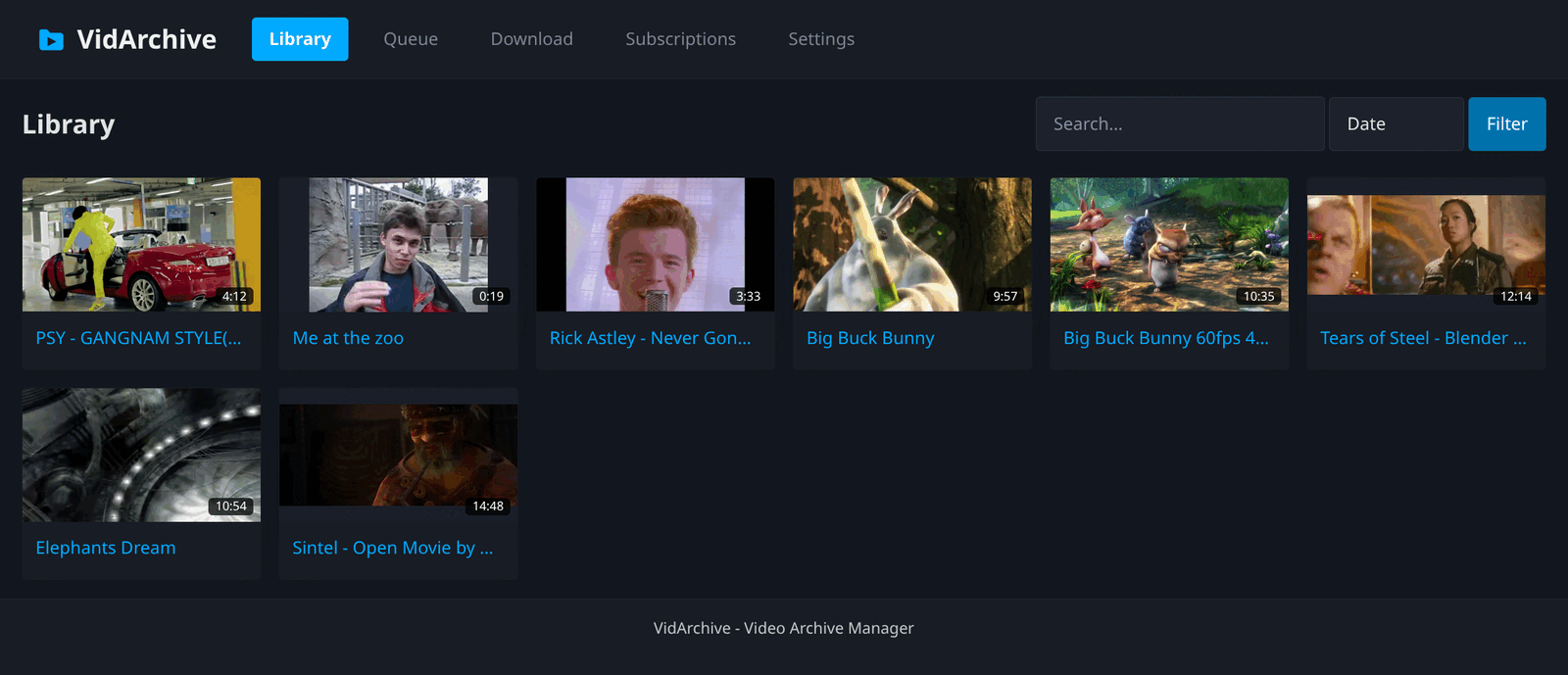
A self-hosted web front end for yt-dlp. It queues downloads, keeps the results in a browsable library with playback, metadata, subtitles and comments, and re-runs saved subscriptions on a schedule.
Go standard library plus chi, SQLite (pure-Go driver), and server-rendered templates. No JavaScript, no build step for the front end.
Requirements
ffmpegandffprobefor thumbnails, subtitle conversion, and media probing- Go 1.26+ to build from source
yt-dlp is downloaded and kept up to date by VidArchive itself. See Managed tools.
Missing tools are reported at startup and on /healthz; the app still starts.
Run
With the container image:
cp .env.example .env
htpasswd -bnBC 12 "" 'your-password' | tr -d ':\n'   # paste the output into .env
docker compose up -d          # or: podman-compose up -d
The compose file mounts ./data and publishes port 8080. yt-dlp is downloaded
into ./data/bin on first start and updated from the Settings page, so the
image does not have to be rebuilt for a new yt-dlp release.
From source:
go build -o vidarchive ./cmd/vidarchive
./vidarchive
Then open http://localhost:8080.
Configuration
All configuration is environment variables. Templates and static assets are embedded in the binary.
| Variable | Default | Purpose |
|---|---|---|
VIDARCHIVE_PORT |
8080 |
Listen port |
VIDARCHIVE_DATA_DIR |
./data |
Root for everything below |
VIDARCHIVE_DB_PATH |
<data>/vidarchive.db |
SQLite database |
VIDARCHIVE_LIBRARY_DIR |
<data>/library |
Imported media |
VIDARCHIVE_TEMP_DIR |
<data>/temp |
Download scratch space |
VIDARCHIVE_BIN_DIR |
<data>/bin |
Where managed tools are installed |
VIDARCHIVE_YTDLP_PATH |
— | yt-dlp binary; setting it turns off management |
VIDARCHIVE_DENO_PATH |
— | deno binary; setting it turns off management |
VIDARCHIVE_UPDATE_EXTERNAL_TOOLS |
0 |
Let VidArchive update a tool it did not install |
VIDARCHIVE_FFMPEG_PATH |
ffmpeg |
ffmpeg binary |
VIDARCHIVE_FFPROBE_PATH |
ffprobe |
ffprobe binary |
VIDARCHIVE_WORKERS |
2 |
Concurrent downloads (minimum 1) |
VIDARCHIVE_SCHEDULER_INTERVAL |
60 |
Seconds between subscription checks |
VIDARCHIVE_BASE_URL |
— | External URL; an https:// value enables HSTS |
VIDARCHIVE_LOG_LEVEL |
info |
debug, info, warn or error |
VIDARCHIVE_LOG_FORMAT |
text |
text or json; logs go to stderr |
VIDARCHIVE_USERNAME |
— | Required. Login user |
VIDARCHIVE_PASSWORD_HASH |
— | Required. bcrypt hash of that user's password |
Managed tools
yt-dlp and the optional JS runtime have three modes.
VIDARCHIVE_YTDLP_PATH |
VIDARCHIVE_UPDATE_EXTERNAL_TOOLS |
Mode | Behaviour |
|---|---|---|---|
| unset | — | managed | Installed to <bin>/yt-dlp on first start, updated by VidArchive |
| set | 0 |
external | The path is used as given; the binary is never touched |
| set | 1 |
external, updates enabled | You install it once, VidArchive updates it from then on |
VIDARCHIVE_DENO_PATH works the same way, and the opt-in covers both tools.
Use the third mode on a platform VidArchive has no build for. To keep the old
behaviour of picking yt-dlp up from PATH, set VIDARCHIVE_YTDLP_PATH=yt-dlp.
Updating. Settings has an Update Now button and a daily auto-update
checkbox. Both run the tool's own updater (yt-dlp -U, deno upgrade).
JS runtime. Some sites answer with a JavaScript challenge that yt-dlp cannot solve alone. Enable Install a JS runtime in Settings to download deno. At around 130 MB unpacked it is off by default.
[!note] Managed builds cover Linux amd64 and arm64, glibc and musl. Deno has no musl build, so a musl host must supply its own and set
VIDARCHIVE_DENO_PATH.
Authentication
Every route needs a login. Only /login, /healthz and the static assets are
public. The server refuses to start without VIDARCHIVE_USERNAME and
VIDARCHIVE_PASSWORD_HASH, and rejects a hash it cannot parse, so a typo fails
at startup instead of looking like a forgotten password later.
The password is stored as a bcrypt hash. Generate one with htpasswd, which
ships with Apache's tools (apache2-utils on Debian/Ubuntu, httpd-tools on
Fedora):
htpasswd -bnBC 12 "" 'your-password' | tr -d ':\n'
That prints one line, which is the value for VIDARCHIVE_PASSWORD_HASH:
$2y$12$c2FsdHNhbHRzYWx0c2FsdOhashhashhashhashhashhashhashhashhashhas
Tests
The offline suite needs no network and stubs yt-dlp with shell scripts:
go test ./...
Some tests build real media files. They are skipped unless ffmpeg and
ffprobe are on PATH.
The online suite runs the real yt-dlp against a real YouTube video. It checks
that a new yt-dlp release still behaves the way VidArchive expects. It needs
network access and yt-dlp on PATH, and is skipped otherwise:
VIDARCHIVE_ONLINE_TESTS=1 go test ./internal/service -run Live -v
Set VIDARCHIVE_TEST_VIDEO_URL to use a different video.
Concepts
Presets collect the yt-dlp options for a download: format selection, audio extraction, subtitle and thumbnail embedding, info-JSON and comment collection, plus free-form custom flags. One preset can be the default. A download may override the format and add its own flags.
Queue. A download row is claimed by a worker, which runs yt-dlp into a
scratch directory and then imports each finished item into the library. Live
output is streamed into memory and flushed to the row periodically, so the
detail page shows progress. Stopping the server leaves in-flight downloads
downloading; they are re-queued on the next start.
Library items are directories holding one or more media files, a
.vidarchive-item.toml marker, yt-dlp's info.json, thumbnails, and an
optional subtitles/ directory. The marker is the source of truth for the
item's name, source URL, video id, and per-file durations, so listing pages
never have to run ffprobe. Directories without a marker are shown as folders,
which makes the library browsable as a tree.
Subscriptions re-download a URL on a cron schedule into a directory they own. Three refresh modes:
overwrite— replace the existing copy of each item in placeskip— keep a yt-dlp download archive and fetch only new entriesmetadata— refresh metadata for known items, download only genuinely new ones
With prune removed enabled, items no longer present upstream are deleted locally. Pruning is skipped when the source cannot be enumerated, so a network error cannot empty the directory.